
WBF Academy
AI for Social Media

AI for Social Media

Beginner

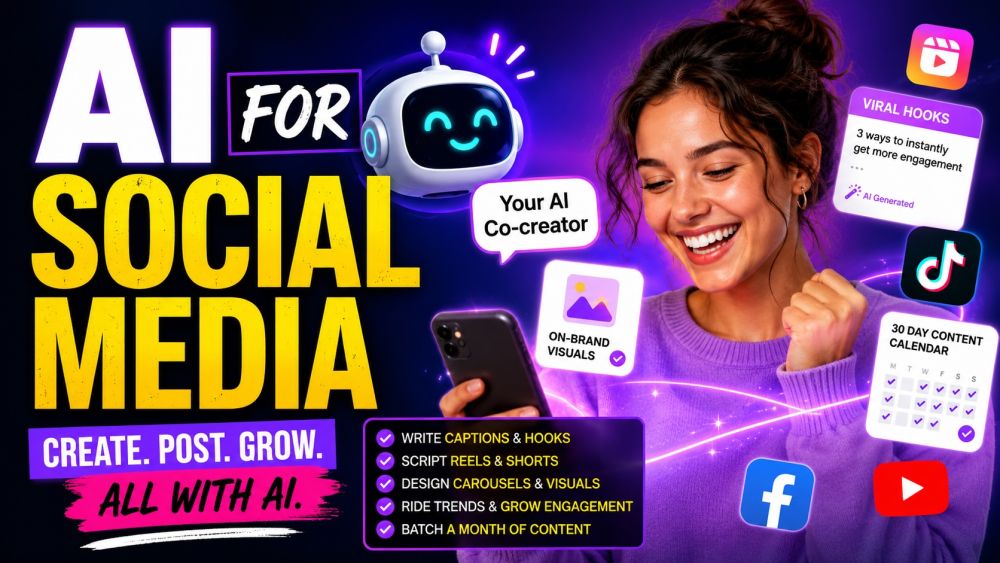
Run your social like a whole team — with AI as your co-creator. This beginner course shows creators, small-business owners, and social managers how to use AI tools to do the slow parts of social in minutes: write scroll-stopping captions and hooks, script short-form videos and Reels, design carousels and on-brand visuals without a designer, ride trends and grow engagement, and batch a month of content into one afternoon. No technical background needed — just bring your brand and your phone. By the end you have a repeatable, AI-powered content system that keeps your feed consistent without burning you out.

📋 5 tracks ❓ 250 questions 💡 20 tips 🎬 10 videos ⏱ ~5h
▶ Start watching

Videos

See all

Tracks

Every great post lives or dies on its first line. Learn to brief an AI assistant on your brand voice and audience, then generate captions, hooks, and full post copy that sound like you — not a robot. Master prompts that spin ten hook variants for any idea, turn a single thought into a week of posts, and match the tone of each platform. Learn to edit AI output so it keeps your personality, add the right calls to action, and avoid the generic "AI voice." By the end you can go from blank caption box to a publish-ready post in under a minute.

Short-form video is where attention lives — and AI makes scripting it fast. Learn to use AI to find a strong hook, structure a 15-to-60-second script, and write on-screen text and a caption that work together. Master prompts that turn one idea into multiple video angles, adapt a trend to your niche, and tighten a rambling script to its punchiest version. Learn the beats that keep viewers watching, how to plan simple shots you can film on a phone, and where AI voiceover and captions fit. By the end you can script a week of short videos in one sitting.

You do not need a design team to look professional. Learn to use AI image tools and prompts to create on-brand graphics, post backgrounds, and full carousels that teach or sell. Master prompts that produce usable images on the first few tries, keep a consistent style and brand colors across a series, and structure a carousel so each slide earns the next swipe. Learn the right sizes for each platform, how to add and edit text on visuals, and how to avoid the telltale "AI look." By the end you can ship a polished, post-ready visual set on your own.

Posting is half the job — growing is the other half. Learn to use AI to spot and adapt trends to your niche, research the hashtags and topics your audience actually searches, and write replies that turn comments into a community. Master prompts that brainstorm content pillars, repurpose a top post into new formats, and draft thoughtful responses to DMs and comments at scale. Learn to read your basic analytics with AI to see what is working and do more of it. By the end you have a simple, repeatable growth loop instead of guesswork.

Consistency is the secret — and burnout is the enemy. Learn to use AI to plan a full content calendar from one brief, batch-create a month of posts, and repurpose one piece of content into many across platforms. Master prompts that turn a single long video into Reels, carousels, and captions, build a reusable content system, and keep a steady cadence without living in your apps. Learn where scheduling tools and simple automations fit, and where to keep a human in the loop. By the end your feed runs on a system, so you can create in batches and step away.

Certification Exam

🏆

Certification Exam

AI for Social Media

30
Questions
45m
Time Limit
% 70%
To Pass

All tracks · No time pressure to start

🏆

Certification Exam

AI for Social Media

#

30 Questions

All difficulty levels

45 Minutes

Auto-submits when time expires

%

70% to Pass

Earn your certification badge

No Going Back

Once you answer, you move forward

Tips

See all