
WBF Academy
AI for Customer Support

AI for Customer Support

Beginner

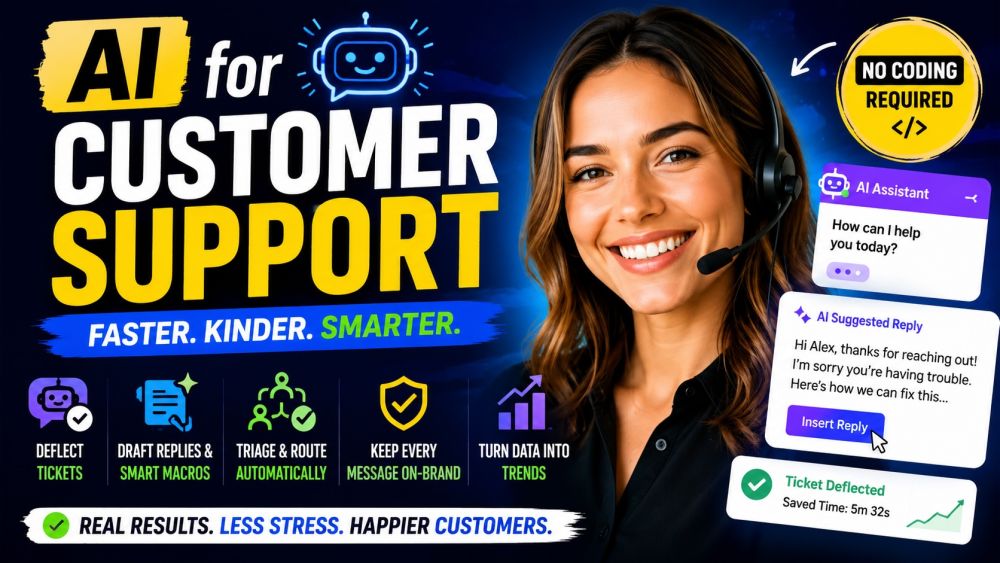
Run a faster, kinder support desk with AI — no coding required. This beginner course is built for agents, team leads, and support managers who want to cut handle time without losing the human touch. Learn to set up an AI assistant and self-service that actually deflect tickets, draft accurate replies and smart macros in seconds, triage and route the queue automatically, and keep every message on-brand — even when a customer is furious. You will also learn the part that protects your team: spotting AI mistakes, knowing when to escalate to a human, and turning ticket data into trends that improve the whole operation. By the end you can use AI on real tickets today and help your team handle more conversations with less stress.

📋 5 tracks ❓ 250 questions 💡 20 tips 🎬 10 videos ⏱ ~5h
▶ Start watching

Videos

See all

Tracks

Start with a clear, hype-free picture of what an AI support assistant can and cannot do. Learn how chatbots and AI answer-bots actually work, where they deflect routine tickets well, and where they must hand off to a person. Set up a simple assistant grounded in your help center and FAQs so it gives accurate, on-brand answers instead of guessing, and design a safe fallback to a human. By the end you can launch first-line AI help that customers trust and that lightens your queue.

This is where AI saves agents the most time. Learn to turn a customer message and a few facts into a clear, correct reply draft you can review and send — never blind copy-paste. Build smart macros and reusable templates that adapt to each ticket instead of sounding canned, fill in the right details automatically, and keep policy language consistent. Practice the prompt that stops the AI from inventing facts about refunds, accounts, or orders. By the end you reply faster while keeping every answer accurate and human-checked.

A messy queue costs time and frustrates customers. Learn to use AI to read incoming tickets and instantly classify them — topic, product area, sentiment, and urgency — then tag and route each one to the right team or agent. Set simple rules so angry customers and outages jump the line, and duplicate or spam tickets get filtered out. See how AI can suggest the likely cause and next step before an agent even opens the ticket. By the end your queue organizes itself, so the right person sees the right ticket first.

Speed means nothing if the message feels cold or off-brand. Learn to use AI to match your company voice, adjust formality for the channel, and rewrite a blunt draft into something warm and clear. Practice de-escalation: acknowledge the frustration, own the problem, and offer a real next step without over-promising. See how to keep empathy genuine instead of robotic, handle a furious customer without taking the bait, and know the moment to bring in a human. By the end every reply sounds like your best agent on their best day.

The best support teams learn from every ticket. Learn to use AI to summarize a long thread into a clean handoff so the next agent or shift has full context in seconds, and to draft accurate internal notes and escalations. Then zoom out: have AI group hundreds of tickets into themes, surface the top recurring issues, and read CSAT comments for what is really driving frustration. Always with a human verifying the facts and owning the decision. By the end you close tickets faster and feed real insight back to product and ops.

Certification Exam

🏆

Certification Exam

AI for Customer Support

30
Questions
45m
Time Limit
% 70%
To Pass

All tracks · No time pressure to start

🏆

Certification Exam

AI for Customer Support

#

30 Questions

All difficulty levels

45 Minutes

Auto-submits when time expires

%

70% to Pass

Earn your certification badge

No Going Back

Once you answer, you move forward

Tips

See all