
AI Automation (No-Code)
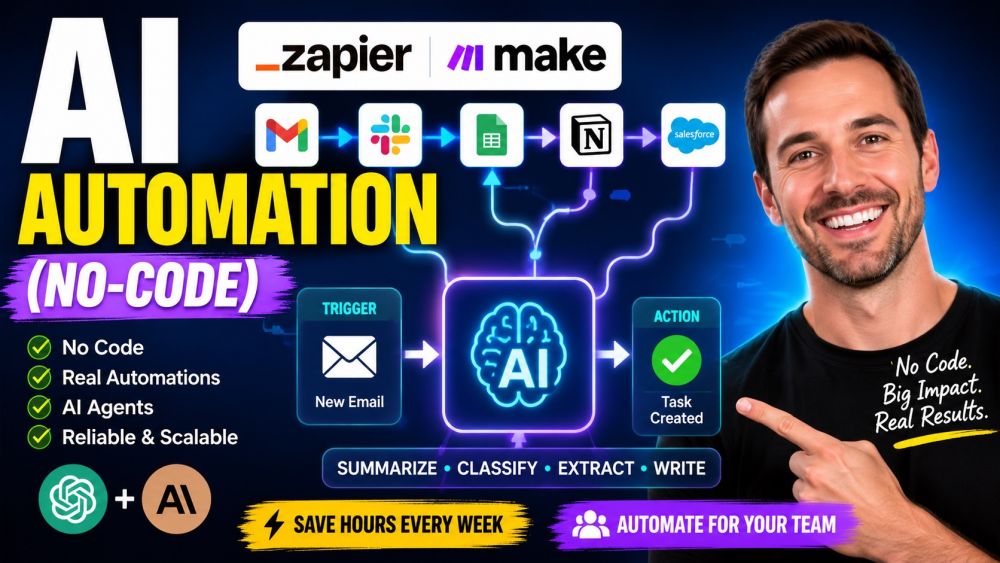
BeginnerAutomate the boring parts of your job — without writing code. This beginner course teaches you to connect the apps you already use (Gmail, Slack, Sheets, Notion, your CRM) with no-code tools like Zapier and Make, then drop AI steps powered by ChatGPT and Claude right into the flow. You will build real, hands-on automations: a trigger fires, data moves between apps, filters and branches decide what happens, and an AI step summarizes, classifies, extracts, or writes on your behalf. From there you will graduate to AI agents that can use tools and make decisions, and learn when an agent is overkill versus a simple linear workflow. Most importantly, you will learn to ship automations that do not break: testing, error handling, staying inside quotas and cost limits, monitoring, and keeping a human in the loop. No technical background required — by the end you can save yourself hours every week and automate work for your whole team with confidence.
Videos
See allTracks
Every automation starts with the same idea: when this happens, do that. Learn what no-code automation really means, how a trigger kicks off a flow and actions carry it out, and how tools like Zapier and Make let you wire apps together without a single line of code. Compare Zapier and Make so you know which fits the job, and connect your first accounts safely. By the end you can spot the repetitive tasks worth automating and build a simple one-step-to-one-step flow with confidence.
Real work rarely fits in one step. Learn to chain several actions together so a single trigger sets off a whole chain — creating a record, sending a message, updating a sheet. Master the skill that trips up most beginners: mapping data from one app into the fields of the next so the right values land in the right place. Add filters so a flow only runs when it should, and use paths and branches to handle different cases. By the end you can build a multi-step automation that mirrors how the task actually works.
This is where automation gets smart. Learn to add an AI step — powered by ChatGPT or Claude — right inside a Zapier Zap or a Make scenario, so your flow can think, not just move data. Use AI to summarize a long email, classify an incoming request, extract key fields from messy text, or generate a reply in your tone. Practice writing the prompt and passing the right data into it so the output is reliable and usable by the next step. By the end you can turn a mechanical workflow into one that reads, decides, and writes for you.
An AI agent is more than a single AI step — it can use tools, take several actions, and decide what to do next toward a goal. Learn what an agent really is in plain terms, how tool use lets it search, look things up, or update an app on its own, and where this power pays off. Just as important, learn its limits: an agent can wander, cost more, and be harder to predict. Practice deciding when an agent is the right call and when a simple linear workflow does the job better and safer. By the end you can choose the right tool for the task with a clear head.
An automation is only useful if you can trust it. Learn to test a flow before it goes live, add error handling so a single failure does not silently drop your data, and set up alerts so you know the moment something breaks. Understand the costs and limits that catch people out — task quotas, API rate limits, and AI usage bills — and how to stay inside them as you scale. See how to monitor what your flows are doing and keep a human in the loop on the decisions that matter. By the end you can run automations for your whole team without nasty surprises.
Certification Exam
Certification Exam
AI Automation (No-Code)
All tracks · No time pressure to start
Certification Exam
AI Automation (No-Code)
30 Questions
All difficulty levels
45 Minutes
Auto-submits when time expires
70% to Pass
Earn your certification badge
No Going Back
Once you answer, you move forward
Tips
See allMind Where Personal Data Flows
Every connection is a place data can leak
A Silent Automation Still Needs Watching
Check the history so you notice it stopped
Plan for the Step That Fails
Real workflows break, so catch it gracefully
An Agent Is Only as Capable as Its Tools
It can only reach what you connect